FamilyTreeNow Opt Out Guide: Remove Your Record
Follow the FamilyTreeNow opt-out process to locate your listing, request removal, verify by email and check that the exposed record is gone.
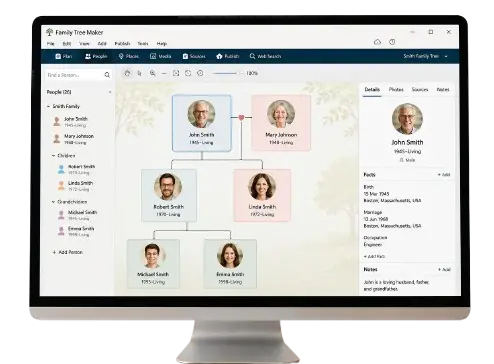
FamilyTreeNow Opt Out Guide: How to Request Removal of Your Record
People-search profiles can make names, ages, previous addresses and possible relatives easier to find in one place. Even when the underlying information comes from public sources, you may prefer not to have it compiled into a single searchable profile.
This guide explains how to use the opt-out process provided by FamilyTreeNow.com. It is published by Family-TreeNow.com, a separate and independent website. We do not operate FamilyTreeNow.com, cannot remove a listing on its behalf and do not receive your opt-out information.
Family-TreeNow.com and FamilyTreeNow.com Are Different Websites
The similar names can cause confusion:
- FamilyTreeNow.com is the third-party people-search and genealogy website whose record-removal procedure is discussed here.
- Family-TreeNow.com is this independent informational website.
Do not submit personal information to our contact form expecting us to delete another company’s listing. Use that company’s official opt-out route.
FamilyTreeNow Opt Out at a Glance
The typical process is:
- Open the official opt-out page at
https://www.familytreenow.com/optout. - Enter an email address and complete any CAPTCHA.
- Begin the opt-out procedure.
- Search for your record by name and location.
- Open the matching record.
- Select the option to opt out that record.
- Check your email and click the confirmation link.
- Wait for processing and search again to verify removal.
Current third-party guides report that the removal may take up to 72 hours after email confirmation. Treat that as an estimate and check the wording shown by the official site when you submit.
Before You Begin
Prepare:
- An email account you can access
- Your name and common variations
- Approximate birth year
- Current and previous states or cities
- Links to any profiles you already found
- A private place to save confirmations and screenshots
Some privacy professionals recommend using a separate email address for data-removal requests. If you do, secure it with a strong password and keep access long enough to receive confirmations and follow-up messages.
Do not send copies of identity documents unless the official process clearly requires them and you have verified the domain. The normal procedure described by current guides uses an email, search and confirmation link.
Step 1: Open the Official Opt-Out Page
Type the address carefully or navigate through the official site’s privacy links. Confirm that the domain is familytreenow.com, not an advertisement or similarly named service.
Read the instructions shown on the page. The form may ask for an email address and a CAPTCHA before enabling the special opt-out search session.
Step 2: Enter Your Email and Begin the Procedure
Use an email inbox you can check immediately. Complete the anti-bot verification and select the button to begin.
The email is important because the final removal request normally must be confirmed. Entering an address without completing the later email step may leave the request unfinished.
Step 3: Search for Your Record
Enter only the information reasonably needed to identify the listing. Begin with:
- First and last name
- City or state
- Approximate birth year
If several results appear, compare previous locations, age and possible relatives. Do not opt out another person’s record merely because the name matches.
If you cannot find yourself:
- Try a previous surname
- Search former states
- Use a middle initial
- Widen the birth-year range
- Check spelling variations
Step 4: Open the Correct Record
Select “View Details” or the equivalent option for the profile that matches you. Review enough information to confirm identity.
Current guides describe a red “Opt Out This Record” button appearing in the detailed view when the page is reached through the active opt-out procedure. If that option does not appear, return to the official opt-out start page and begin again. A session may expire.
Step 5: Submit the Record for Removal
Select the opt-out button for the confirmed profile. Complete any additional prompt displayed by the official website.
If multiple profiles belong to you, repeat the process for each record. Removing one listing may not automatically remove duplicates created under different names or locations.
Step 6: Confirm Through Email
Open the email sent after submission and click the confirmation link. Check spam or junk folders if it does not appear.
Be cautious with email links:
- Confirm the message relates to the request you just made
- Inspect the destination domain
- Do not enter a password or payment information
- Do not open unexpected attachments
Save the confirmation email and note the submission date.
Step 7: Verify That the Listing Was Removed
After the stated processing period, search again using a private browser window or cleared cache. Check name variations and previous states.
Record:
- Date requested
- Profile URL
- Confirmation date
- Date rechecked
- Outcome
If the record remains after the stated period, confirm that you clicked the email link. Repeat the official process if necessary and use the official contact or privacy route for unresolved problems.
Why a Listing May Reappear
An opt-out usually applies to the identified profile on that website. It does not delete the underlying public records, remove information from every data broker or guarantee that a future profile will never be created.
A listing might reappear because:
- New source data was added
- Your name or address changed
- A duplicate profile already existed
- The record was rebuilt from another dataset
- The confirmation step was not completed
Recheck periodically, especially after moving, changing a surname or seeing renewed search-engine results.
What Opting Out Does Not Do
A FamilyTreeNow opt out does not necessarily:
- Delete a birth, marriage, property or court record from its official custodian
- Remove you from other people-search websites
- Erase cached search results instantly
- Remove relatives’ separate profiles
- Delete every piece of data held internally under the company’s privacy policy
- Prevent lawful future collection from public sources
Read the official privacy policy for the precise scope. Submit separate requests to other websites displaying your information.
Remove Search-Engine Results After the Source Is Gone
Search engines usually update after recrawling the page. If an outdated result still displays personal information after the source page is removed, use the search engine’s official outdated-content removal process where applicable.
The source should be removed or changed first. A search engine generally does not control the underlying website.
Protect Yourself From Opt-Out Scams
Data-removal searches attract misleading advertisements and fake support offers.
Watch for:
- Payment requests for a process the site offers free
- Someone asking for your password
- Requests for excessive identity documents
- Remote-access software
- Threats that immediate payment is required
- Look-alike domains
- Unsolicited calls claiming to represent FamilyTreeNow
Manual removal through the official opt-out route should not require giving a stranger control of your computer.
Create a Wider Data-Broker Removal Plan
One successful removal is useful, but your information may appear on other sites. Make a spreadsheet containing:
- Website
- Profile URL
- Information exposed
- Official privacy link
- Date requested
- Confirmation received
- Date verified
- Recheck date
Prioritize profiles showing a home address, phone number, relatives or information about children. Use each website’s own privacy procedure.
What to Do if You Face Immediate Safety Concerns
If exposed information creates a risk of stalking, domestic violence, identity theft or other harm, consider additional help:
- Contact appropriate local authorities in an emergency
- Ask a qualified victim-services or legal organization about address-confidentiality programs
- Secure accounts with unique passwords and multi-factor authentication
- Freeze credit with the relevant bureaus if identity theft is a concern
- Document threatening messages and exposed URLs
- Ask trusted people not to publish your location
An ordinary opt-out form is not an emergency response service.
Frequently Asked Questions
Is the FamilyTreeNow opt-out free?
Current guides describe the official manual removal process as free. Do not pay a third party merely to access the official form.
Do I need an account?
Current instructions describe an email-verified process without requiring a normal FamilyTreeNow account. Follow the official page as it appears when you submit.
How long does removal take?
Current sources report that it may take up to 72 hours after confirmation. The timeframe shown by the official site should be treated as authoritative.
Why did I not receive the email?
Check spam, confirm the address and repeat the procedure if needed. The request may not complete without the confirmation link.
Do I have to remove duplicate profiles separately?
Yes, if more than one matching profile appears. Keep a list of the URLs you submitted.
Will my relatives be removed too?
Not necessarily. Each person may have a separate listing and should review their own privacy choices.
Can Family-TreeNow.com remove the record for me?
No. We are an independent website and do not control FamilyTreeNow.com records.
Should I send my Social Security number?
Do not send highly sensitive identifiers unless a verified legal process clearly requires them. The commonly documented opt-out uses name, location, email confirmation and record selection.
Verify the Official Instructions
Use the official FamilyTreeNow opt-out page for the current form. For additional privacy planning, visit Privacy and Safety and People Search.
This page provides general information, not legal advice. Procedures and privacy rights can change.