Family Tree Now Privacy and People-Search Safety
Protect living relatives during genealogy and people searches. Learn safer sharing, account security, data removal and responsible contact practices.
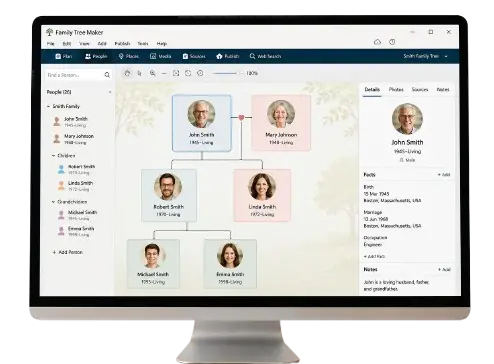
Family Tree Now Privacy and Safety Guide
Family history brings people together, but it can also expose information that living relatives never intended to make widely searchable. A public tree might reveal a child’s full birth date. A photograph can show a home or school. A people-search profile may combine previous addresses, phone numbers and possible relatives into one convenient page. Good genealogy protects living people as carefully as it documents deceased ancestors. Privacy should not be an afterthought added after a tree is published. It should guide what you collect, where you store it and who can view it.Privacy Notice: This Family Tree Now privacy guide provides general safety practices for research, people search, DNA matching and online tree sharing. Family-TreeNow.com is an independent resource and is not affiliated with FamilyTreeNow.com or another genealogy platform.
Understand the Difference Between Available and Appropriate
Information can be publicly accessible without being appropriate to republish. A government index, local announcement or public profile may be lawful to view, but copying every detail into one open family page increases exposure. Before publishing, ask:- Is the person living?
- Did the person agree to this use?
- Could the information help someone impersonate them?
- Does it reveal a home, school, workplace or routine?
- Does it disclose an adoption, medical condition or parentage surprise?
- Would a less specific version serve the same purpose?
Information to Keep Out of Public Family Trees
Do not publicly display:- Social Security or national identification numbers
- Driver’s license or passport numbers
- Full birth dates of living people
- Home addresses
- Personal email addresses and telephone numbers
- Financial account or property-access information
- Password-reset answers
- Medical records
- Unredacted recent certificates
- School schedules or children’s locations
- Private adoption or DNA conclusions
- Signatures from documents
Mark Living Profiles Correctly
Many genealogy platforms hide living profiles, but the protection depends on correct data. If a person has no death date and an implausibly old birth year, the system may make a wrong assumption. Imported GEDCOM files can also change privacy settings. After creating or importing a tree:- Search for every living person.
- Confirm the profile is marked living.
- Review what invited users and the public can see.
- Check photographs and notes, not only name fields.
- Repeat the review after platform updates or exports.
Ask Permission Before Adding Relatives
Explain what you are building and how it will be used. A relative may agree to appear in a private tree but not on a public chart. Ask separately about:- Name and relationship
- Photographs
- Stories
- Contact details
- DNA information
- Public sharing
- Invitations to collaborate
Secure Your Genealogy Account
Family trees can contain enough biographical detail to assist identity theft or targeted scams. Protect the account with:- A unique, long password
- A password manager
- Multi-factor authentication
- An up-to-date recovery email
- Device screen locks
- Current operating-system and browser updates
- Careful review of connected applications
- Removal of collaborators who no longer need access
Store Documents Safely
Separate public research materials from restricted family files. A simple structure might include:Public historical recordsPrivate living-person recordsFamily photographs approved for sharingRestricted DNA and adoption researchBackups
Share Family Trees With Levels of Access
Not every relative needs editing rights. Use the least access required:- Public viewer: Deceased historical profiles only
- Invited viewer: Private tree without editing
- Contributor: Can add notes or materials
- Editor: Can change relationships and profiles
- Owner or administrator: Controls access and deletion
People Search Safety
A Family Tree Now people search should have a legitimate family-history purpose. Do not use it to monitor someone’s location, repeatedly contact a person who declined or expose a private address. When reviewing a possible match:- Keep notes private
- Verify identity before contact
- Use a normal public contact route
- Explain yourself honestly
- Avoid sharing sensitive discoveries immediately
- Accept no response
- Do not visit an address uninvited
Data-Broker and People-Search Profiles
People-search sites can compile scattered information into one profile. To reduce exposure:- Search your full name and common variations.
- Review profiles without supplying unnecessary new information.
- Save URLs and screenshots.
- Use the website’s official privacy or opt-out process.
- Complete required email confirmation.
- Recheck after processing.
- Repeat for duplicate listings.
Search-Engine Privacy
If a source page has been removed but an old search result remains, use the search engine’s official outdated-content process when eligible. The source website must normally be addressed first. Search for yourself using:- Full name in quotation marks
- Name plus city
- Previous surnames
- Phone number
- Email address
- Home address
DNA Testing and Unexpected Results
DNA data is uniquely sensitive and can reveal information about relatives who did not test. Before submitting a sample:- Read the current privacy policy
- Understand relative matching
- Review research and law-enforcement settings
- Learn how deletion and sample destruction work
- Decide whether raw-data downloads will be stored securely
- Consider the effect on siblings, parents and children
Children and Family-History Projects
School and reunion projects sometimes encourage detailed charts. Protect minors by using first names or initials where appropriate and avoiding:- Full dates of birth
- School names and schedules
- Home addresses
- Public photographs with location metadata
- Details about adoption or custody
Photograph and Document Safety
Before uploading an image:- Check the background for addresses, license plates and children’s locations
- Remove embedded location metadata where appropriate
- Redact account numbers and signatures
- Confirm copyright or family permission
- Identify whether the original owner agrees to public use
- Keep an unedited archival copy privately
Protect Against Family-Impersonation Scams
Public family relationships can help criminals craft convincing messages. A scammer may pretend to be a relative in an emergency or reference a real family event. Create a family verification habit:- Call a known number rather than replying to an urgent message
- Ask a question not easily found online
- Never send money solely because of a text or social message
- Verify new accounts claiming to belong to relatives
- Be suspicious of pressure and secrecy
Genealogy and the Fair Credit Reporting Act
An ordinary people-search or genealogy result should not be used to decide employment, housing, credit, insurance or other eligibility. In the United States, reports used for those purposes may be governed by the Fair Credit Reporting Act and require compliant providers, disclosures, authorization and dispute procedures. A disclaimer does not turn an unsuitable people-search result into a compliant consumer report. Use qualified legal and compliance guidance for those decisions.Responding to Harassment or Doxxing
If someone publishes your private information to intimidate or endanger you:- Preserve screenshots, URLs and dates
- Report the content through the platform’s safety channel
- Review account security and active sessions
- Remove exposed information from source sites where possible
- Tell trusted relatives not to share your location
- Contact local authorities if there is an immediate threat
- Seek help from a qualified victim-support or legal organization
Frequently Asked Questions
Is family-tree information private?
It depends on the platform, profile status and settings. Review the exact visibility of living people, notes, media and attached records.
Should I publish my full family tree?
Publish only deceased historical profiles you are comfortable sharing. Keep living people and sensitive relationships private.
Can public records be private information?
An individual record may be publicly accessible, yet compiling and republishing it can increase privacy risk. Use restraint.
How do I remove a people-search listing?
Use the displaying website’s official opt-out or privacy procedure, verify the request and recheck later.
Is DNA safe to upload?
DNA testing has benefits and risks. Read current policies, choose settings carefully and recognize that results affect genetic relatives too.
What should I do if a relative wants to be removed from my tree?
Remove or privatize the profile and related media promptly. Confirm that exports and shared copies are addressed where possible.